Bootload your Arduino
This post first appeared on PhotoElectricChefs.
I guess by now most of us coding freaks are into Arduino directly or indirectly. One major problem we all have faced with Arduino is the frequent deletion of the bootloader from the ATmega IC. There could be N number of reasons for this, and I shall not get into that. I will give you a way to solve this problem and also convert your normal ATmega chip to an Arduino chip. (Most of you pros will tell me AVR and Arduino are the same. YES they are, but for those freshers who have just been introduced to AVR and Arduino, take them as different things. As time goes on you will know what I mean.)
Requirements to bootload
- A programmer or another working Arduino board.
- The board you want to bootload.
- 6-7 plugs (wires).
Procedure
Step 1: Connect your programmer to the Arduino IC. The pins are as follows:
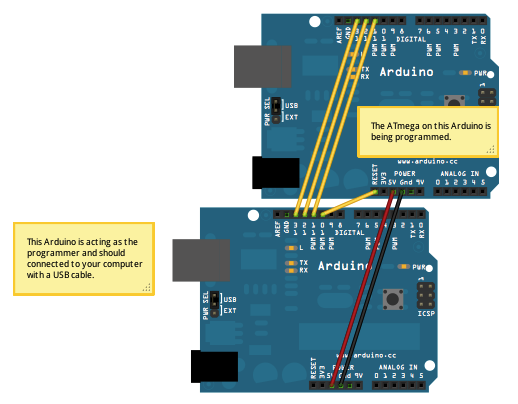
Pins 13, 12 and 11 on the Arduino correspond to SCK, MISO and MOSI respectively. Use this config to connect to the USBasp.
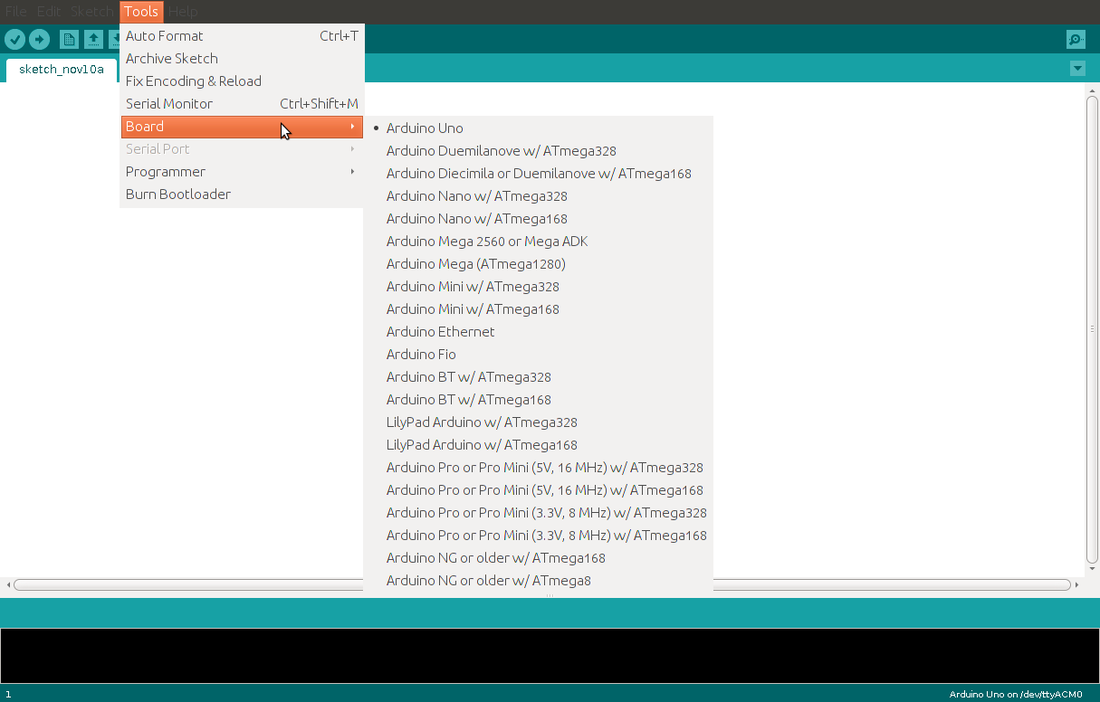
Step 2: In the Arduino IDE (Arduino 1.0 and up), select the board which you want to bootload.
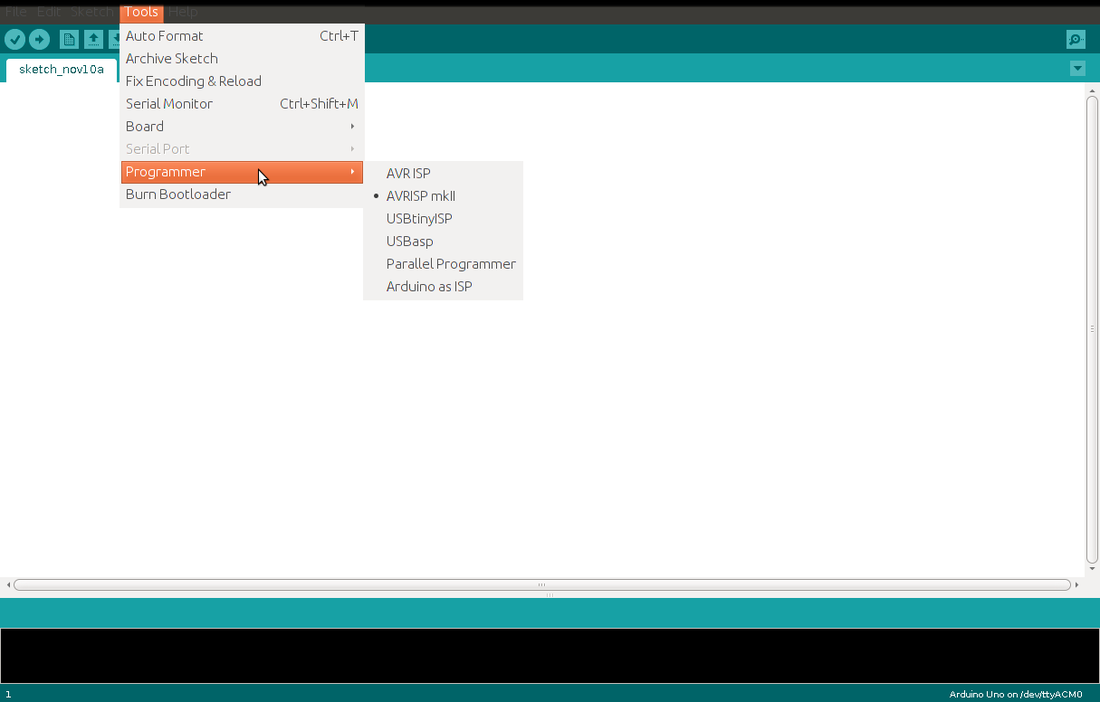
Step 3: Select your programmer (USBasp, or if you’re using an Arduino itself, select Arduino as ISP).
Step 4: Connect the programmer to the computer.
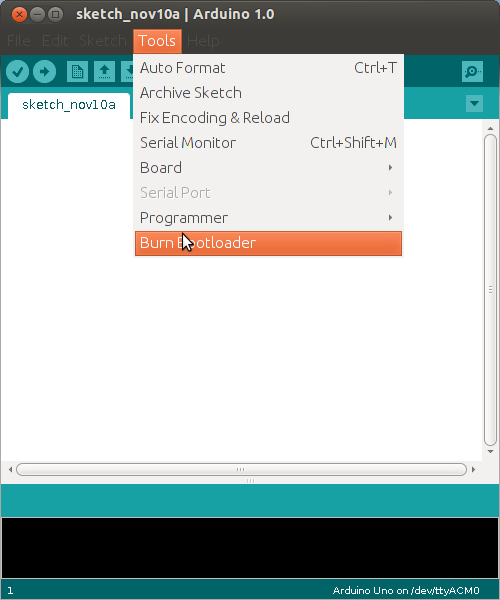
Step 5: In the Arduino IDE select Tools > Burn Bootloader.
Step 6: Unplug the Arduino and now get coding on your freshly bootloaded chip!